JRJ Racing · Personally tuned by Jason
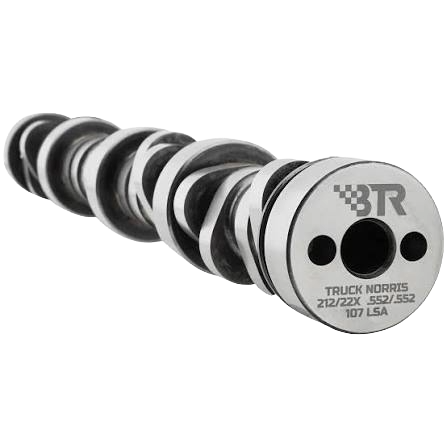
BTR Truck Norris Remote Tuning
Installed a Truck Norris cam? Get a tune built around your vehicle, exact camshaft and modifications. Work directly with Jason, with your files and feedback organized in your private Tune Portal.
Personally tuned by Jason
Work directly with Jason—the owner and tuner who built and tuned these combinations in the shop.
Built around your vehicle
Your original stock read, exact cam and installed parts guide the tune.
Support through your Tune Portal
Keep your files and feedback together. Full Custom includes datalog review and up to five revisions.
Build your Truck Norris tune
Choose your vehicle and exact cam, select Base or Full Custom, then add your installed modifications.
HP Tuners required · equipment & credits
Requires supported HP Tuners MPVI2, MPVI3 or MPVI4 equipment for your exact vehicle. Hardware, licensing and required controller access are separate. RTD and TDN are not currently supported.
Vehicle first. Tune path before modifications.
Choose each part of the vehicle in order. After the camshaft, confirm the transmission and drivetrain, then select the tune type so the builder can show only the options supported by that path.
Doing an engine swap? Choose the original year, make, and model for your engine and PCM. Select “Swap Tune” below to enter the vehicle it’s going into.
Enter the specifications shown on your cam card. Durations must be measured at .050-inch tappet lift—not advertised duration.
Choose how far you want to take it
Complete the vehicle fields above to choose your tune. Click a card to choose your service. Service selected. Choose your installed modifications below.
Selected service: scope, revisions & turnaround
Modifications & options · select your installed parts
This add-on covers the extra troubleshooting involved when changing engine and computer generations. Enter the vehicle the engine and PCM are going into below.
Paid selections are matched to the existing Shopify tune add-on products and added with the tune. Free and unlisted details stay attached to the order.
Downloadable .HPT files are limited to the selected supported camshaft calibration or supported DOD/AFM/MDS/VVT delete calibration. They do not include tuning changes for blowers, headers, intakes, injectors, fuel systems, heads, converters, transmissions, tire size, gear ratio, or other add-ons.
Downloadable files cover the listed cam or delete setup and do not include modification add-ons. If your vehicle has additional modifications, choose a Base Tune or Full Custom Remote Tune.
Shopify is verifying that the exact file is available for sale.
Open the library with this selection, then review the listed file details and all seven buyer requirements. If no matching file is listed, choose a remote tune built from your own read.
No closest file will be substituted. Choose a tune built from your own vehicle file instead.

Vehicle → exact cam → transmission → service → modifications
- Vehicle
- —
- Engine
- —
- Transmission / Drivetrain
- Not Provided / Not Provided
- Cam
- —
- Tune Type
- —
- What vehicle is the engine and PCM going into?
- Modifications
- —
- Blowers
- LSA: No / Hellcat: No
- Total
- —
From your build to your tune
Your tune, one step at a time
After checkout, your Tune Portal keeps the build details, files and conversation in one place.
- 01
Configure your tune
Use the builder to choose your vehicle, cam, service and installed modifications.
- 02
Upload your stock read
After purchase, use your Tune Portal to send the original read, cam card and complete build details.
- 03
Receive Revision 1
Revision 1 is guaranteed within 24–72 business hours after JRJ receives your stock read. This guarantee applies to the first revision only.
- 04
Log, review and refine
Full Custom includes datalog review and up to five revisions for the purchased setup. Later submissions enter the queue in the order received; there is no guaranteed completion date.
Your private Tune Portal
One place for every file and conversation.
Upload your stock read, receive your tunes and send feedback directly to Jason. Full Custom datalogs and revisions stay with your order.
- Original reads & delivered tunes
- Datalogs & revisions
- Messages & order progress
How we work through your revisions
Revision 1 is guaranteed within 24–72 business hours after JRJ receives your stock read. The tune is based on your original read and the build details you provide. Follow the delivery instructions and report how the vehicle behaves.
Base Tune includes two revisions. Full Custom includes datalog review and up to five revisions for the purchased setup. The next adjustment depends on the logs, feedback and issues identified; there is no fixed sequence that fits every build.
After Revision 1, progress depends on vehicle condition, installed parts, mechanical or installation issues, tuning equipment and the quality of the logs. It also depends on when you have time to log and upload, when JRJ receives usable files and the time needed to review them.
Logs and follow-up requests enter the queue and are handled in the order received. Waiting for logs, answers, parts or repairs pauses the next step. A new submission does not start another 24–72-business-hour guarantee.
JRJ will work carefully and in good faith to help with your purchased service. Remote tuning cannot guarantee perfection, mechanical stability or a specific power result. Review the service and refund terms before ordering.
What changes in the tune?
A cam tune starts with the engine and drivetrain you actually have. These are the areas JRJ reviews for the selected service.
Startup & idle
Starting airflow, idle control and in-gear behavior are reviewed against the cam and operating data. Describe when a stall, surge or restart problem occurs.
Airflow & fueling
Provide the intake, injectors, fuel and sensor information. Relevant airflow and fueling changes must be assessed with the correct component data.
Valve & torque control
Report any installed VVT limiter or lockout and cylinder-deactivation hardware, where equipped. The tune must reflect what is physically installed.
Transmission & converter
Identify the transmission, converter, tire diameter and axle ratio. Their effect on the driving experience belongs in the build information.
The controller, service selected and installed hardware determine which adjustments are available. tune is not a repair for incorrect mechanical installation.
Have these details ready
- Vehicle year, make, model and engine RPO
- Exact cam part number and supplied cam card
- Original stock read, controller and operating-system ID
- Installed cylinder-deactivation and VVT hardware, where equipped
- Transmission, converter, axle ratio and tire size
- Injectors, fuel type, intake, exhaust and other changes
Keep your original read unchanged. Identify unknown part numbers or settings before submitting your build.
Published test comparisons
Dyno comparisons
Published BTR tests. Curves are approximate; each setup differs.
BTR published comparison
LS 5.3 · Stock heads + TBSS intake
5.3 LS · stock heads · TBSS intake
Test details, source & plotted data
5.3L LS, stock heads and TBSS intake. Baseline is a DOD-delete cam. The sheet does not identify a particular vehicle or correction standard.
Curves are approximate graph readings. HEMI stock-cam peaks are estimated from the source graph; other peak callouts are printed on their sources. Results depend on the tested combination.
View approximate plotted data
| Run | RPM | HP | lb-ft |
|---|---|---|---|
| DOD-delete cam | 2000 | 128 | 337 |
| DOD-delete cam | 2250 | 148 | 345 |
| DOD-delete cam | 2500 | 168 | 352 |
| DOD-delete cam | 2750 | 187 | 356 |
| DOD-delete cam | 3000 | 208 | 362 |
| DOD-delete cam | 3250 | 228 | 367 |
| DOD-delete cam | 3500 | 251 | 374 |
| DOD-delete cam | 3750 | 275 | 384 |
| DOD-delete cam | 4000 | 299 | 390 |
| DOD-delete cam | 4250 | 320 | 394 |
| DOD-delete cam | 4500 | 342 | 397 |
| DOD-delete cam | 4750 | 359 | 394 |
| DOD-delete cam | 5000 | 370 | 387 |
| DOD-delete cam | 5250 | 373 | 373 |
| DOD-delete cam | 5500 | 374 | 355 |
| DOD-delete cam | 5750 | 367 | 334 |
| DOD-delete cam | 6000 | 359 | 312 |
| DOD-delete cam | 6250 | 349 | 292 |
| DOD-delete cam | 6500 | 337 | 270 |
| Truck Norris | 2000 | 125 | 328 |
| Truck Norris | 2250 | 147 | 341 |
| Truck Norris | 2500 | 170 | 353 |
| Truck Norris | 2750 | 190 | 359 |
| Truck Norris | 3000 | 212 | 370 |
| Truck Norris | 3250 | 239 | 385 |
| Truck Norris | 3500 | 262 | 392 |
| Truck Norris | 3750 | 286 | 398 |
| Truck Norris | 4000 | 308 | 402 |
| Truck Norris | 4250 | 330 | 406 |
| Truck Norris | 4500 | 355 | 412 |
| Truck Norris | 4750 | 375 | 413 |
| Truck Norris | 5000 | 393 | 410 |
| Truck Norris | 5250 | 409 | 409 |
| Truck Norris | 5500 | 420 | 399 |
| Truck Norris | 5750 | 427 | 388 |
| Truck Norris | 6000 | 431 | 375 |
| Truck Norris | 6250 | 431 | 360 |
| Truck Norris | 6500 | 430 | 345 |
| Truck Norris | 6750 | 427 | 330 |
| Truck Norris | 7000 | 416 | 310 |
Samples are rounded to whole HP and lb-ft. Lines join the available readings without extending beyond them. HEMI stock-cam horsepower is calculated from the manually read torque curve using HP = torque × RPM ÷ 5252.
BTR published comparison
Gen V 5.3 · BTR-published Dynojet runs
SAE Dynojet · run configurations not identified
Test details, source & plotted data
Published on BTR’s Gen V 5.3 Truck Norris page. The sheet does not name the vehicle, modifications or run configurations, or explicitly label wheel versus engine output. Runs retain their original identities; this is not a confirmed stock-versus-cam gain.
Curves are approximate graph readings. HEMI stock-cam peaks are estimated from the source graph; other peak callouts are printed on their sources. Results depend on the tested combination.
View approximate plotted data
| Run | RPM | HP | lb-ft |
|---|---|---|---|
| Run A (source red) | 2500 | 170 | 357 |
| Run A (source red) | 3000 | 218 | 384 |
| Run A (source red) | 3250 | 241 | 391 |
| Run A (source red) | 3500 | 263 | 396 |
| Run A (source red) | 3750 | 282 | 396 |
| Run A (source red) | 4000 | 306 | 402 |
| Run A (source red) | 4250 | 326 | 404 |
| Run A (source red) | 4500 | 341 | 399 |
| Run A (source red) | 4600 | 346 | 396 |
| Run B (source blue) | 2500 | 165 | 350 |
| Run B (source blue) | 3000 | 213 | 376 |
| Run B (source blue) | 3250 | 236 | 384 |
| Run B (source blue) | 3500 | 258 | 390 |
| Run B (source blue) | 3750 | 277 | 391 |
| Run B (source blue) | 4000 | 300 | 395 |
| Run B (source blue) | 4250 | 321 | 398 |
| Run B (source blue) | 4500 | 336 | 394 |
| Run B (source blue) | 4750 | 351 | 388 |
| Run B (source blue) | 5000 | 362 | 382 |
| Run B (source blue) | 5250 | 370 | 370 |
| Run B (source blue) | 5500 | 374 | 357 |
| Run B (source blue) | 5750 | 378 | 345 |
| Run B (source blue) | 6000 | 378 | 331 |
Samples are rounded to whole HP and lb-ft. Lines join the available readings without extending beyond them. HEMI stock-cam horsepower is calculated from the manually read torque curve using HP = torque × RPM ÷ 5252.
BTR published comparison
5.7 HEMI · Eagle engine comparison
Eagle 5.7 · E85 · truck intake · headers
Test details, source & plotted data
BTR test: stock 2009+ Eagle 5.7, truck intake, upgraded valve springs, E85 and long-tube headers. These are engine results, not wheel-horsepower figures.
Curves are approximate graph readings. HEMI stock-cam peaks are estimated from the source graph; other peak callouts are printed on their sources. Results depend on the tested combination.
View approximate plotted data
| Run | RPM | HP | lb-ft |
|---|---|---|---|
| Stock cam | 2000 | 145 | 381 |
| Stock cam | 2250 | 167 | 390 |
| Stock cam | 2500 | 190 | 400 |
| Stock cam | 2750 | 215 | 411 |
| Stock cam | 3000 | 244 | 427 |
| Stock cam | 3250 | 272 | 439 |
| Stock cam | 3500 | 300 | 450 |
| Stock cam | 3750 | 325 | 455 |
| Stock cam | 4000 | 348 | 457 |
| Stock cam | 4250 | 370 | 457 |
| Stock cam | 4500 | 384 | 448 |
| Stock cam | 4750 | 398 | 440 |
| Stock cam | 5000 | 409 | 430 |
| Stock cam | 5250 | 418 | 418 |
| Stock cam | 5500 | 422 | 403 |
| Stock cam | 5750 | 423 | 386 |
| Stock cam | 6000 | 419 | 367 |
| Truck Norris | 2000 | 144 | 379 |
| Truck Norris | 2250 | 169 | 395 |
| Truck Norris | 2500 | 195 | 410 |
| Truck Norris | 2750 | 223 | 426 |
| Truck Norris | 3000 | 253 | 443 |
| Truck Norris | 3250 | 281 | 455 |
| Truck Norris | 3500 | 307 | 461 |
| Truck Norris | 3750 | 335 | 470 |
| Truck Norris | 4000 | 361 | 474 |
| Truck Norris | 4250 | 385 | 476 |
| Truck Norris | 4500 | 405 | 473 |
| Truck Norris | 4750 | 425 | 470 |
| Truck Norris | 5000 | 444 | 467 |
| Truck Norris | 5250 | 462 | 462 |
| Truck Norris | 5500 | 474 | 453 |
| Truck Norris | 5750 | 482 | 441 |
| Truck Norris | 6000 | 486 | 425 |
| Truck Norris | 6250 | 488 | 411 |
| Truck Norris | 6500 | 487 | 393 |
| Truck Norris | 6750 | 487 | 379 |
| Truck Norris | 7000 | 483 | 363 |
Samples are rounded to whole HP and lb-ft. Lines join the available readings without extending beyond them. HEMI stock-cam horsepower is calculated from the manually read torque curve using HP = torque × RPM ÷ 5252.
Send the exact engine and cam part number for application review. These examples identify cam versions; your complete combination determines service availability.
Straight answers
Truck Norris tuning questions
Should I choose Full Custom or Base Tune?
Full Custom includes datalog review and up to five revisions for the purchased setup. Base Tune provides a vehicle-specific starting tune with two revisions. Choose Full Custom when your combination needs continued drivability review and refinement.
How do I send my files and communicate with Jason?
After purchase, use your customer Tune Portal for your original stock read, build information, datalogs, delivered tunes, messages and revisions. Use the portal link above to access your account.
Does every Truck Norris use the same tune?
No. The standard LS, NSR, Gen V 5.3, HEMI and V6 Jr. versions have different specifications. Even with the same cam, controller and build differences still matter. Provide the exact part number instead of selecting by nickname.
Does NSR mean I can skip tune?
NSR describes the spring requirement in the cam’s name. It does not identify a tune for your engine. Confirm the NSR version in the tune request and have the existing hardware checked.
Will the Truck Norris work with a stock converter?
BTR describes the Gen V 5.3 and HEMI versions shown above as working with factory converters. That is not a blanket recommendation for every LS engine, vehicle or intended use. Send your exact cam, transmission and converter details.
What horsepower will my truck make?
There is no single number for every Truck Norris build. A manufacturer’s engine-dyno result is specific to that test combination and is not a wheel-horsepower promise for your vehicle. Judge a result against the actual engine, fuel, supporting parts and test conditions.
Manufacturer references & technical notes
Manufacturer references are linked below. Cam cards and the exact installed parts take priority over a nickname or model-year assumption. JRJ service availability is confirmed separately.
- BTR Gen III & IV LS Truck Norris
- BTR LS Truck Norris cam card, revision 2
- BTR earlier LS Truck Norris cam card
- BTR Gen III & IV LS Truck Norris NSR
- BTR Gen V 5.3 Truck Norris with VVT limiter
- BTR HEMI VVT Truck Norris
- BTR Truck Norris Jr. V6
- HP Tuners: comparing two tune files
- Existing JRJ Truck Norris tuning guide